WhatsApp continues to update its security systems annually, and in 2026, its chat spam protection is becoming even stricter. For those using virtual numbers, or "Nokos WA," for online business purposes, understanding how to create a Nokos that won't get blocked is an essential skill. From registration strategies to account maintenance, every detail needs attention to ensure your business WhatsApp account remains active and legitimate in the system's eyes.
In this article, you'll find a comprehensive 10-step guide to practically creating a Nokos WA that bypasses chat spam protection. By following these strategies, your business account can operate at its full potential without the worry of being blocked or flagged as spam by WhatsApp.
1. Use Virtual Numbers from Trusted Sources
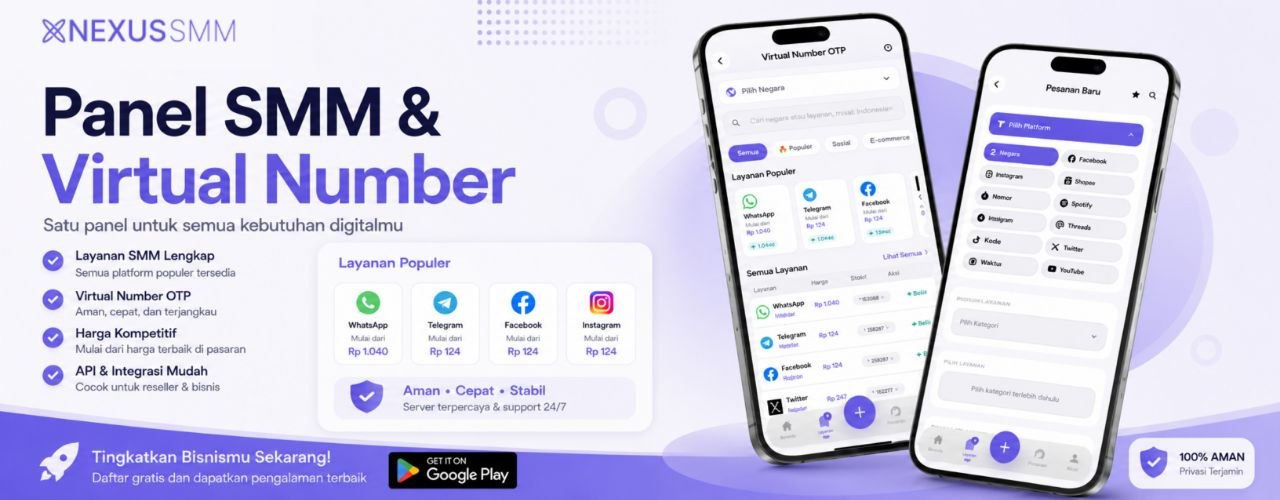
The first and most crucial step is choosing a quality provider for your virtual number. Don't settle for cheap virtual number providers, as these numbers are often already in use by others or have been blocked by WhatsApp. Instead, utilize Nexus SMM's comprehensive virtual number (Nokos) service, which offers fresh and verified numbers. This provides a strong foundation from the start, even before registering a new WhatsApp account.
2. Register at the Right Time
The timing of your registration significantly impacts the success of creating a new WhatsApp account. Avoid registering during peak hours, such as midday or late afternoon, when registration traffic is highest. Instead, try registering in the morning between 7:00 AM and 9:00 AM, or in the evening after 9:00 PM. During these times, WhatsApp servers tend to be more stable, increasing the likelihood of successful verification.
3. Use a Clean Device
Before registering, ensure the device you're using is clean. Clear the WhatsApp cache if you've previously installed it, and use a smartphone or emulator that has never been blocked by WhatsApp. If you're using an older phone, perform a factory reset first to remove residual data that could be flagged as suspicious activity by WhatsApp's security system.
4. Verify with an Active Number
The OTP (one-time password) process is the most critical stage in creating a new WhatsApp account. Make sure you receive the verification code quickly, as WhatsApp OTP codes are only valid for 5-10 minutes. Use a cheap virtual WhatsApp number purchase (Nokos) service that offers automatic SMS receiving features so you don't miss the verification code. Delays in receiving OTP are often the primary cause of registration failure.
5. Complete Your WhatsApp Profile with Real Data
After successful registration, don't immediately start broadcasting messages or sending mass messages. First, fill out your WhatsApp profile with legitimate data, such as a profile picture, full name, status, and an "about" section. An empty or suspicious profile will be immediately flagged by WhatsApp's security system, increasing the likelihood of being blocked.
6. Gradually Warm Up Your Account
This is a common mistake many people make: immediately sending broadcast messages to hundreds of contacts as soon as the account is active. This behavior directly triggers WhatsApp's chat spam protection. Instead, warm up your account by initiating interactions naturally. In the first month, try sending messages to only 5-10 contacts per day, create a few small groups with 10-15 members, and actively participate in conversations. Gradually increase your activity after 2-3 weeks.
7. Use Varied and Non-Spammy Message Content
Messages identified as spam usually have repetitive and impersonal patterns. When running an online business on WhatsApp, ensure every message you send has varied content. Do not send the exact same message to many contacts, as WhatsApp's algorithm can detect mass messaging patterns. Include the recipient's name, personalize each message, and avoid excessive use of words often associated with spam, such as "FREE," "NOW," or "LIMITED TIME."
8. Utilize WhatsApp Business Wisely
WhatsApp Business has features designed to help businesses communicate legitimately with customers. Use product catalogs, category labels, automated messages, and quick replies wisely. These features not only help organize your business but also indicate to WhatsApp's system that your account is a real business account, not a spam bot.
9. Log In Regularly and Enable Two-Factor Authentication
Don't let your Nokos WA account sit idle for too long without activity. WhatsApp's security system considers accounts inactive for weeks as suspicious. Schedule regular logins at least 2-3 times a week to keep the account active. Additionally, enable two-step verification or two-factor authentication to add an extra layer of security to your account.
10. Monitor and Adapt to System Changes
WhatsApp's policies and security systems change every quarter. In 2026, you need to stay updated with WhatsApp's latest developments regarding spam and abuse policies. Join online business communities discussing these topics, subscribe to newsletters from trusted platforms like Nexus SMM, and always be ready to adapt your strategies according to the changes that occur.
Conclusion
Creating a Nokos WA that bypasses chat spam protection isn't about finding loopholes or workarounds; it's about building an account that looks and behaves like a legitimate one. By consistently following the 10 guidelines above, your business WhatsApp account can operate long-term without being blocked.
For those looking for a practical and reliable solution to obtain quality virtual numbers, Nexus SMM offers cheap Telegram virtual number purchases (Nokos) and WhatsApp numbers that can help your business grow without hassle. With stable server support and fresh numbers, your online business can focus on growth without worrying about account technicalities.