
This question frequently arises among Indonesian online entrepreneurs looking to build a strong digital presence. Many still doubt Canva's ability to create truly aesthetic and professional social media feed designs. As an entrepreneur who has personally proven its effectiveness, I will debunk these myths one by one in this article.
Myth #1: "Canva is Only for Beginners, the Results Aren't Professional"
This myth is quite outdated and doesn't align with the facts on the ground. In reality, many major brands and professional designers now use Canva as one of their primary tools. Canva has evolved rapidly by 2026 with advanced features that enable users to create professional-level designs.
Premium features like Magic Design, Brand Kit, and thousands of continuously updated templates make Canva capable of producing stunning visuals. You can create an Instagram feed that's consistent with your brand colors, proper typography, and eye-catching layouts. What distinguishes professional results from amateur ones is understanding basic design principles and consistency in content creation.
Myth #2: "Canva's Free Templates Are Too Generic and Look Cheap"
Many complain that Canva's free templates look identical and lack wow factor. But this isn't a problem with Canva itself, but rather how we use the tool. The fact is, Canva's free templates are highly customizable and can be modified to suit your brand's needs.
The key is: don't use templates as-is. Modify colors, change fonts, add unique visual elements, and adapt them to your brand's personality. With a little creativity, a simple template can transform into a stunning premium design. Canva provides a very intuitive drag-and-drop feature, so anyone can create an aesthetic feed without needing advanced design skills.
Myth #3: "You Need High-Level Graphic Design Skills to Create an Aesthetic Feed"
This is the most common myth that prevents online entrepreneurs from starting to create their own visual content. The truth is, you don't need to be a professional graphic designer to create an aesthetic feed. What you need is a basic understanding of composition, color, and consistency.
Canva provides very helpful features like automatic color palettes, layout suggestions, and interactive tutorials. There are even AI-powered features like Magic Write for copy and Magic Design that can create templates based on your content description. With these tools, anyone can create attractive designs without any design background whatsoever.
Myth #4: "Aesthetic Feeds Are Only for Accounts with Specific Visual Themes"
Many people think that aesthetic feeds are only suitable for accounts with minimalist, fashion, or lifestyle themes. This is completely untrue. Aesthetic feeds can be applied to various types of accounts, including culinary businesses, service providers, and multifunctional online stores.
The key is finding a cohesive Instagram feed theme that matches your brand. You can choose a clean, colorful, monochrome, vintage, or harmonious mix-and-match theme. With Canva, you can explore various styles and find what works best for your business. What matters is consistency in color palette, editing style, and the overall mood of your feed.
Myth #5: "You Need Expensive Software to Design Good Feeds"
The era of expensive software is over. In 2026, you can create stunning social media feed designs using just the free version of Canva or an affordable Pro account. Canva Pro itself is very competitively priced and includes features that were once only available in professional editing software.
With Canva, you get access to over 610,000 templates, 100+ million stock photos and videos, premium fonts, and other advanced features. All of these can be used to create visual content that competes with major brands. Save money, save time, and still get professional results.
Myth #6: "No Need to Design Yourself, Just Buy Templates"
Many choose to buy templates from third parties instead of creating their own with Canva. While that's not wrong, with Canva you can actually create custom templates that better suit your specific brand needs.
The advantage of creating your own with Canva is full flexibility. You can modify them anytime, you're not dependent on template sellers, and the result is 100% original. Additionally, Nexus SMM as your strategic partner provides various tools and resources that can help strengthen your visual content strategy.
Myth #7: "Setting Up Color Consistency in Canva is Complicated"
This myth clearly doesn't align with the facts. Canva actually makes color consistency very easy with its Brand Kit feature. You can save your brand color palette, fonts, and logo in one place, then apply them to all designs with one click.
Brand Kit also allows you to create brand-specific templates that can be reused. This way, every time you create new content, you don't need to set up colors and fonts from scratch. Very efficient and ensures visual consistency across your entire Instagram feed.
Myth #8: "Aesthetic Feeds Are Ineffective for Gaining Followers"
This myth is particularly detrimental to online entrepreneurs. The truth is, an aesthetic and consistent feed is one of the main factors that influences potential followers' decisions to follow your account. Attractive visuals significantly increase engagement rates.
With an aesthetic feed design, you build brand credibility and professionalism. Followers are more likely to make transactions because they see that you're serious about building your business. Now, to maximize the impact of your aesthetic feed, combine it with the right SMM strategy. Nexus SMM as the best and most affordable SMM panel in Indonesia can help you increase reach and engagement in a legal and effective way.
Practical Tips for Creating an Aesthetic Feed with Canva for 2026
After debunking the myths above, here are practical tips you can implement right away:
1. Determine Your Instagram Feed Theme
One thing that makes a feed look messy is inconsistent themes. Choose 3-5 main colors that you'll use consistently. Canva has a Color Palette Generator that can help you find harmonious color combinations.
2. Use Grid Planner
Canva provides a Grid Planner feature for Instagram that allows you to see a preview of your entire feed before posting. This way, you can ensure that each new post remains harmonious with previous content.
3. Utilize Uniform Templates
Create standard templates for each type of content, such as templates for promotions, testimonials, behind-the-scenes, and educational content. With uniform templates, you don't need to create designs from scratch every time you post.
4. Mix Content Types
Don't just post product images. Mix various types of content like educational carousels, quotes, video snippets, and user-generated content. With Canva, you can easily create all these types of content while maintaining visual consistency.
5. Optimize for Mobile
Remember that most Instagram users access from smartphones. Make sure your design remains clear and attractive even when viewed on a small screen. Canva automatically optimizes designs for mobile viewing.
Now that you understand how to properly use Canva to create an aesthetic feed, the next question is: how can you maximize the reach of the feed designs you've created with that effort?
The answer is by combining attractive visual design with the right Social Media Marketing strategy. This is where Nexus SMM adds significant value. Nexus SMM provides various SMM services that can help significantly increase engagement and reach of your social media accounts.
For example, after creating an aesthetic feed with Canva, you can use Nexus SMM's auto-engagement service to increase interaction on each post. This will help Instagram's algorithm introduce your content to more users. Additionally, Nexus SMM offers various service packages at very affordable prices, suitable for Indonesian online entrepreneurs who want to grow.
Don't forget that the results of an aesthetic feed design take time to show optimal results. Consistency is key. Create a regular posting schedule, maintain the visual theme you've established, and keep learning to improve your content quality. With Canva as your design tool and Nexus SMM as your growth partner, you have a very powerful combination for building a strong brand presence on social media.
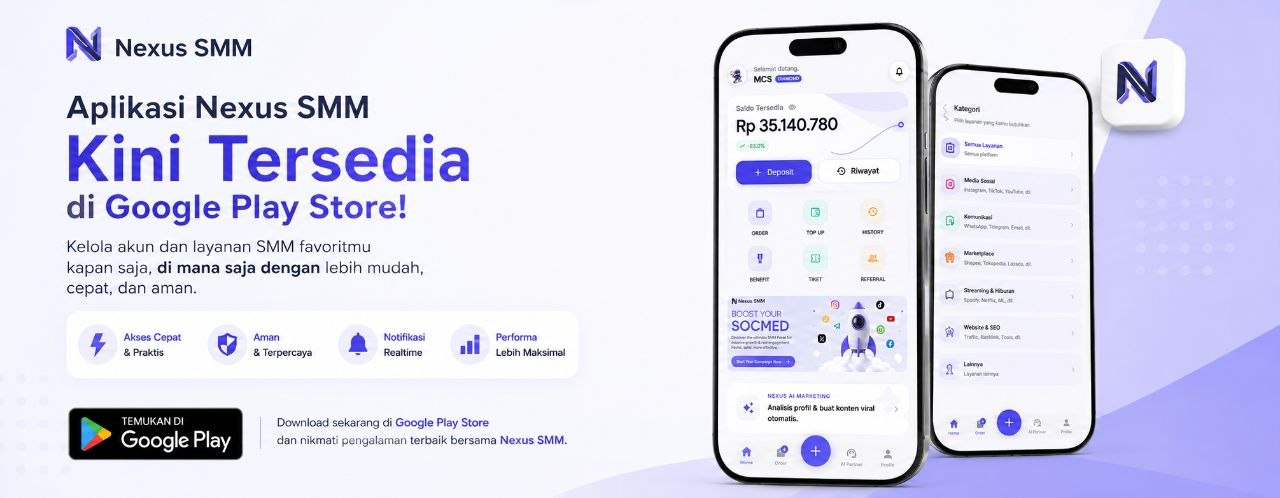
To support your online marketing activities, Nexus SMM also provides a mobile app that you can download for free. By downloading the free Nexus SMM Android app, you can manage orders and monitor statistics anytime and anywhere.
Want maximum results from every feed design you've painstakingly created in Canva? Combine it with a proven effective SMM strategy. Nexus SMM comes as a complete solution for your business's social media growth needs. With years of experience serving thousands of Indonesian online entrepreneurs, Nexus SMM truly understands what's needed to increase engagement and conversion.
You can immediately register for free and start ordering at Nexus SMM to experience the significant difference in your social media account growth. The registration process is very easy and quick, it won't take long to start seeing results.
Remember, having an aesthetic Instagram feed is just the first step. But to truly build a successful online business, you need a comprehensive strategy including the right Social Media Marketing. Don't let the myths we've debunked prevent you from starting to be creative. Starting now, open Canva, create your first design, and experience for yourself how an aesthetic feed can change followers' perception of your brand!
Want your aesthetic feed design to be seen by more people? Utilize the SMM (Social Media Marketing) services at Nexus SMM - Indonesia's most trusted SMM panel with the lowest prices. Register for free now and start ordering in minutes!