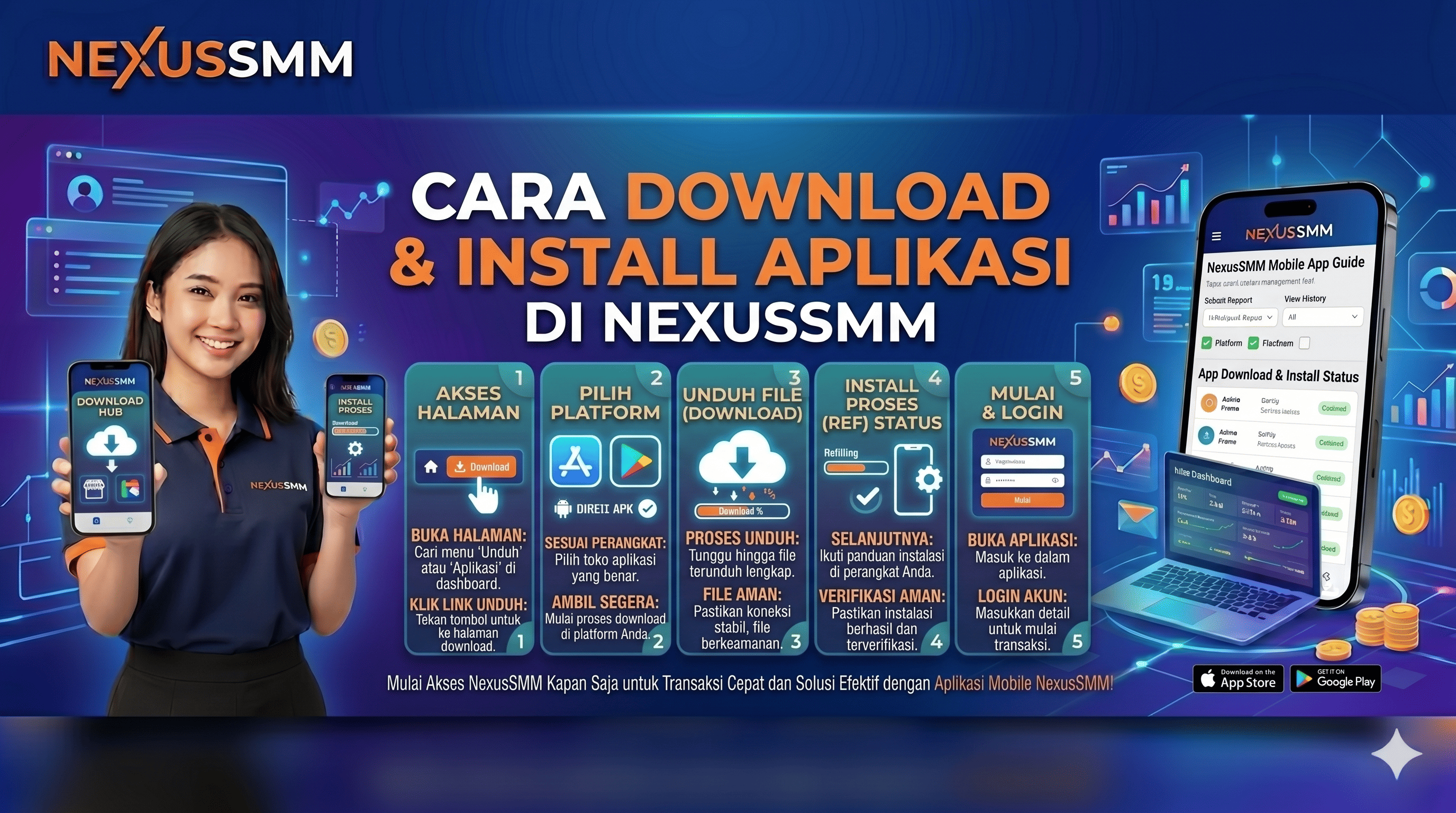
Access NexusSMM More Easily via the App!
The NexusSMM app is designed to provide the best experience in managing orders and monitoring your social media marketing business — anytime and anywhere right from your smartphone!
How to Download & Install
📱 Android
-
Open Google Play Store on your Android smartphone
-
Type "NexusSMM" in the search bar
-
Select the official NexusSMM app
-
Tap the "Install" button
-
Wait for the download to complete
-
Open the app and Login to your account ✅
🍎 iOS (iPhone/iPad)
-
Open App Store on your iPhone/iPad
-
Type "NexusSMM" in the search bar
-
Select the official NexusSMM app
-
Tap the "Get" button
-
Confirm with Face ID / Touch ID / Apple Password
-
Open the app and Login to your account ✅
Advantages of Using the App
System Requirements
-
📱 Android — Minimum Android 6.0 and above
-
🍎 iOS — Minimum iOS 12.0 and above
-
📶 Internet connection — WiFi or mobile data
-
💾 Storage — Minimum 50MB of free space
NexusSMM — Smart Solution for Your Social Media Business 🌟