Problems? We're Here to Help!
The NexusSMM support team is ready to assist you 24 hours a day, 7 days a week. The best way to contact us is through the Ticket feature available directly in the application — it's more structured, documented, and handled faster!
When to Create a Ticket?
-
❓ Order not running after the estimated time
-
💰 Deposit paid but balance not credited
-
🔄 Want to claim a Refill or Refund
-
🔐 Problems with the account (can't log in, etc.)
-
📋 Questions about services or features
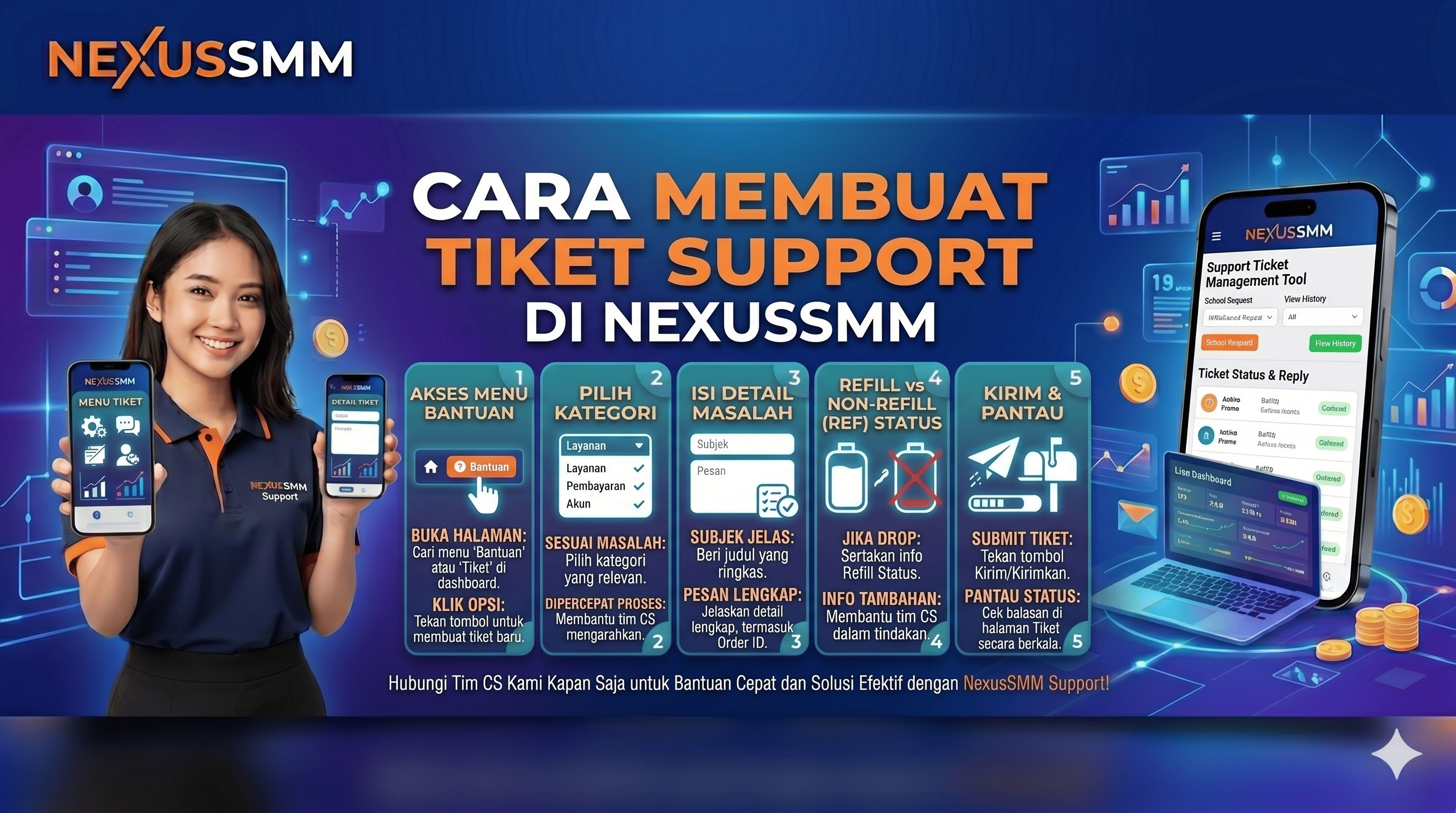
Steps to Create a Ticket
-
Login to your NexusSMM account
-
Click the Ticket menu Ticket in the bottom navigation
-
Click the "Create New Ticket" or "+" button
-
Select the appropriate problem category:
-
Problem Orders
-
Problem Deposits
-
Refill / Refund
-
General Questions
-
Others
-
-
Fill in the ticket title briefly and clearly
-
Write a complete problem description
-
Attach a screenshot/proof if needed
-
Include the relevant Order ID or Transaction ID
-
Click "Submit Ticket" ✅
Tips for Faster Ticket Processing
-
✅ Clear ticket title — example: "Order #12345 hasn't run since 2 hours ago"
-
✅ Include Order/Transaction ID — makes it easier for the team to find data
-
✅ Attach screenshots — visual evidence speeds up handling
-
✅ One problem per ticket — don't mix several problems in one ticket
-
✅ Be patient and polite — our team works hard for all users
Response Time
NexusSMM — Smart Solution for Your Social Media Business 🌟
❓ FAQ — Frequently Asked Questions on NexusSMM
NexusSMM — April 13, 2026
General Questions
Q: Is NexusSMM safe to use?
A: Yes, NexusSMM uses a multi-layered security system to protect user data and transactions. All payments are processed through trusted payment gateways.
Q: Do I need to provide my social media account password?
A: No! NexusSMM never asks for your social media account password. Just provide the public link/URL of the content you want to boost.
Q: Can my account be banned after using this service?
A: The risk is very small if you use the service wisely. Avoid ordering in very large quantities at once and choose Real or Drip Feed services for greater security.
Deposit Questions
Q: What is the minimum deposit on NexusSMM?
A: The deposit amount is flexible and affordable, which can be seen directly on the Deposit page of the application.
Q: My balance hasn't been credited after the transfer, what should I do?
A: Wait 5-10 minutes. If it hasn't been credited, check the deposit history and then create a ticket with proof of payment.
Q: Can the balance be withdrawn to a bank account?
A: NexusSMM balance is used exclusively for purchasing services and cannot be withdrawn to a bank account.
Order Questions
Q: Why is my order taking a long time to process?
A: Each service has a different estimated time. If it has passed the estimate, create a support ticket with the Order ID.
Q: Is it permissible to order the same service on the same content?
A: It is not recommended to order two similar services simultaneously on the same content to avoid conflicts.
Q: Can I cancel an order that has been made?
A: Orders that are already in In Progress status cannot be canceled. Orders that are still Pending can be canceled and the balance returned.
Warranty Questions
Q: My service is complete but the quantity has decreased, what should I do?
A: Submit a Refill claim through the Ticket menu while it is still within the warranty period stated in the service.
Q: How long does the warranty period last?
A: Depends on the service — it can be 30 days, 60 days, or lifetime. Check the service description before ordering.
Q: Can a refund be cashed out to an account?
A: No. Refunds are returned to the NexusSMM account balance and can be used to order other services.
Account Questions
Q: Is it permissible for one person to have two accounts?
A: Not allowed. Each user may only have one active account.
Q: How do I delete my NexusSMM account?
A: Contact the support team via Ticket to request account deletion.
Q: Is there a NexusSMM mobile application?
A: Yes! The NexusSMM application is available and can be downloaded for easy access anytime, anywhere.
NexusSMM — Smart Solution for Your Social Media Business 🌟
```