As a social media manager (SMM) or business leveraging virtual number services (Nokos) for OTP verification, WhatsApp marketing, or other activities, you often need an efficient and reliable solution. With the comprehensive automated Nokos panel, managing virtual numbers becomes easier and more effective. This article will explain the steps to use the automated Nokos panel with the full service from Nexus SMM, the best solution in the current SMM industry.
In an increasingly dynamic digital era, the need for secure, fast, and platform-integrated virtual numbers has become a top priority. The comprehensive automated Nokos panel not only helps reduce administrative burdens but also enhances productivity and results from your SMM activities. With Nexus SMM, you can access advanced features directly from a single platform, saving time and costs.
What is Nokos and an Automated Nokos Panel?
Nokos, short for "nomor kosongan" (meaning "empty number"), is a virtual phone number not linked to a personal identity or bank account. While a Nokos panel is a management platform that allows users to access, manage, and use virtual numbers automatically. The panel typically offers features like OTP monitoring, real-time notifications, and integration with various applications such as WhatsApp Business, Telegram, and others. In the context of SMM, Nokos is used for account verification, sending marketing messages, and managing customer interactions without uploading personal data.
Reasons Why You Need an Automated Nokos Panel with Full Service
Choosing an automated Nokos panel with full service is not just an option but a necessity for efficiency and security. Here are some reasons why this solution is highly needed:
- Automated Processes: The automated panel addresses the issue of slow and error-prone manual processes. You can set up automation for OTP verification, notification sending, or number management without manual intervention each time.
- Comprehensive Service: A comprehensive platform offers various features such as activity monitoring, user analytics, and 24/7 support. This helps you anticipate issues and optimize the use of virtual numbers.
- Ease of Access: With an intuitive panel, you can access all features from one location, without switching between platforms or applications. This saves time and ensures consistency in management.
- Customer Satisfaction: With secure and fast virtual numbers, you can enhance the customer experience, such as quick account verification or coordinated marketing messages.
How to Use Nokos Services on Nexus SMM: Step-by-Step Guide
To start using the automated Nokos panel with full service on Nexus SMM, follow these steps. The process is simple and does not require advanced technical knowledge:
- Register a Nexus SMM Account: If you don't have an account, visit the full virtual number service (Nokos) website at Nexus SMM and select the "Register" option. Fill out the form with valid data, including your email and phone number. Verify your account via email or SMS immediately after registration.
- Choose the Type of Virtual Number: After verification, log in to the admin panel. In the "Virtual Numbers" menu, you will find options to buy WhatsApp, Telegram, or other numbers. Select the platform you need. For example, for WhatsApp marketing activities, select "Buy Cheap WhatsApp Virtual Number (Nokos)". The purchase process is usually instant, and the number will be available for immediate use.
- Verification and Configuration: After purchasing the number, the system will send a verification code to the virtual number you selected. Enter this code in the panel to configure the number. Ensure all information, such as your username and password, is saved securely. You can also set up real-time notifications for number activities, such as received OTPs or messages.
- Using in SMM: Now, you can use the virtual number for various SMM activities. For example, for app account verification, you can send the virtual number to the third party and receive the OTP via the panel. For marketing, you can send bulk or personalized messages via WhatsApp or Telegram with a secure virtual number. Use the monitoring features to track activities and optimize your strategy.
- Monitoring and Analysis: Use the monitoring features in the panel to view usage statistics, such as the number of received OTPs, messages sent, or customer activities. Analyzing this data helps you make better decisions in your SMM strategy.
Tips and Tricks to Optimize Nokos Panel Usage on Nexus SMM
To maximize the efficiency of the automated Nokos panel, here are some tips you can apply:
- Quick Number Rotation: If your virtual number is often used for high-risk activities (such as account verification), use the number rotation feature provided. This helps avoid blocking and ensure security.
- Use Analytics for Optimization: Review the analytics data from the panel to identify usage trends. For example, if one platform is more effective, focus your strategy on that platform.
- Keep the Platform Updated: Nexus SMM frequently adds new features or improves security. Ensure you are updated with the latest version of the panel to take advantage of new features.
- Security Management: Use strong passwords and do not share your account. If you encounter issues, contact Nexus SMM's customer support immediately.
FAQ
- Question: Is the Nexus SMM Nokos panel safe from fraud or spam? Jawaban: Yes, Nexus SMM uses secure servers and encryption protocols to protect your data. The platform is also registered with various authorities, and security features help prevent unauthorized use.
- Question: How much does it cost to use virtual number services on Nexus SMM? Jawaban: The cost depends on the type of number and package you choose. Nexus SMM offers monthly or annual packages with discounts, as well as bulk number options. Transparent and flexible pricing ensures you can choose a package that fits your needs and budget.
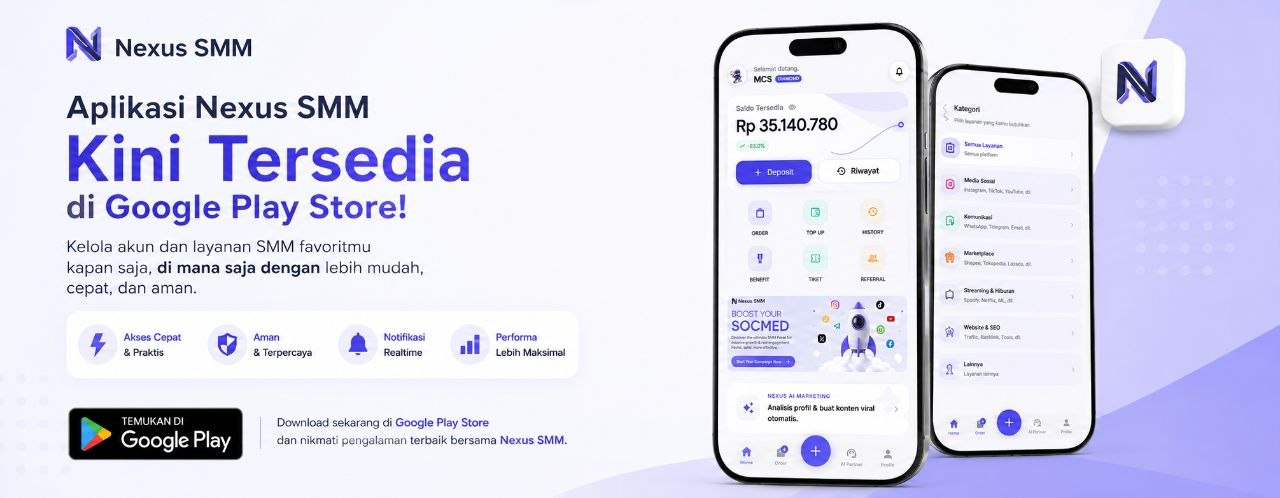
- Question: Can I access the panel from any device? Jawaban: Yes, the Nexus SMM panel can be accessed via web browsers (on desktop or mobile) as well as the mobile app available on the App Store (iOS) and Google Play Store (Android). Access from various devices ensures you can manage your virtual numbers from anywhere and at any time.
- Question: Is there a limit on the number of numbers I can use? Jawaban: Each package has a maximum limit on the number of virtual numbers you can use. If you need more numbers, you can upgrade your package or contact the sales team at Nexus SMM for a custom solution.
- Question: Is there 24/7 customer support? Jawaban: Yes, Nexus SMM offers 24/7 customer support via chat, email, or phone. The support team is ready to assist you with any issues related to the Nokos panel or other services.
Don't wait! Check out the full virtual number service at Nexus SMM and start enhancing your SMM efficiency now. With the automated Nokos panel and comprehensive service, you can focus on core strategies and improve business results without compromising on security or efficiency.