Login to NexusSMM Account
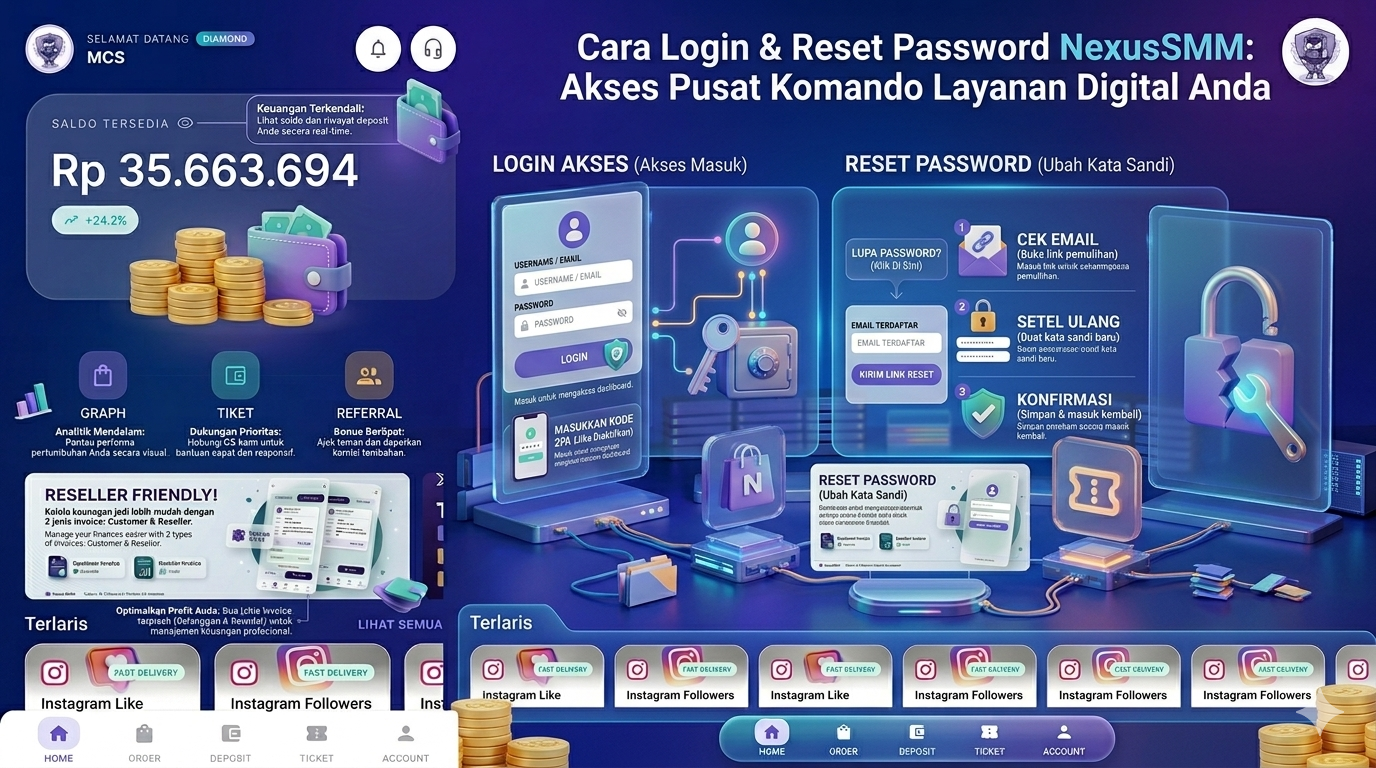
Logging into your account is easy, follow these steps:
-
Open the NexusSMM application or the nexussmm.com website
-
Click the "Login" button
-
Enter your registered Email and Password
-
Click "Login Now"
-
You will be directly logged into your account dashboard ✅
Forgot Password? No Worries!
If you forget your password, follow these reset steps:
-
On the login page, click "Forgot Password?"
-
Enter the email registered to your account
-
Click "Send Reset Link"
-
Open your email and look for an email from NexusSMM
-
Click the password reset link that was sent
-
Enter a new password (minimum 8 characters)
-
Confirm your new password and click "Save"
-
Login with your new password ✅
Account Security Tips
-
🔐 Use a unique and strong password
-
🔐 Do not share your password with anyone, including admins
-
🔐 Always logout if using a shared device
-
🔐 Activate email notifications to monitor your account activity
-
🔐 Immediately change your password if you feel your account has been hacked
Problematic Account?
If you still can't log in after resetting your password, contact the support team via the Ticket menu, including your registered email. Our team is ready to help within 24 hours! 💬
NexusSMM — Smart Solution for Your Social Media Business 🌟