As a senior Content Strategist at Nexus SMM, I frequently engage in discussions with online business owners. One of the most common questions that arises is: "How can I maximize the use of WhatsApp for my business?" The answer is simple: by having more than one WhatsApp account! And the most effective way to make this happen is by using a virtual number.
This article will thoroughly break down how to create a WhatsApp account with a virtual number, complete with its benefits for your business. We will walk you through the steps in detail, tips for choosing the right service provider, and how to optimize the use of these additional WhatsApp accounts for significant business growth.
Why WhatsApp with a Virtual Number Is Important for Your Business
In this digital age, WhatsApp is no longer just a chatting app. For business owners, WhatsApp is the primary gateway to customers. It's where you can:
- Interact directly with customers.
- Provide fast and personalized customer service.
- Send out offers and promotions.
- Build long-term relationships with customers.
Having more than one WhatsApp account (with a virtual number) enables you to:
- Separate personal and business communication: Avoid overlapping between personal and professional matters.
- Manage multiple business lines: If you have several products or services, you can have separate WhatsApp accounts for each one.
- Optimize marketing efforts: Use additional accounts for promotions, broadcasts, or running targeted campaigns.
- Expand your reach: With more accounts, you can reach more potential customers.
In short, WhatsApp with a virtual number is a smart investment that can double your business potential.
What Is a Virtual Number?
A virtual number is a phone number that is not tied to a physical SIM card. This number can be used to receive phone calls, SMS messages, and of course, for WhatsApp account verification. Virtual numbers come from various countries, offering you the flexibility to operate globally.
The main advantages of using a virtual number are:
- Privacy: You don't need to use your personal number.
- Flexibility: You can have numbers from different countries without having to purchase physical SIM cards.
- Convenience: The activation process is usually quick and easy.
- Scalability: You can have multiple virtual numbers at once, depending on your business needs.
Steps to Create WhatsApp with a Virtual Number
Here is a complete guide on how to create WhatsApp with a virtual number:
1. Choose a Reliable Virtual Number Service Provider
This is a crucial step. Choose a service provider that offers:
- Good number quality: Make sure the numbers provided can receive WhatsApp verification SMS.
- Competitive pricing: Compare prices from several service providers.
- Good reputation: Research reviews and testimonials from other users.
- Responsive customer support: If you encounter issues, you need quick assistance.
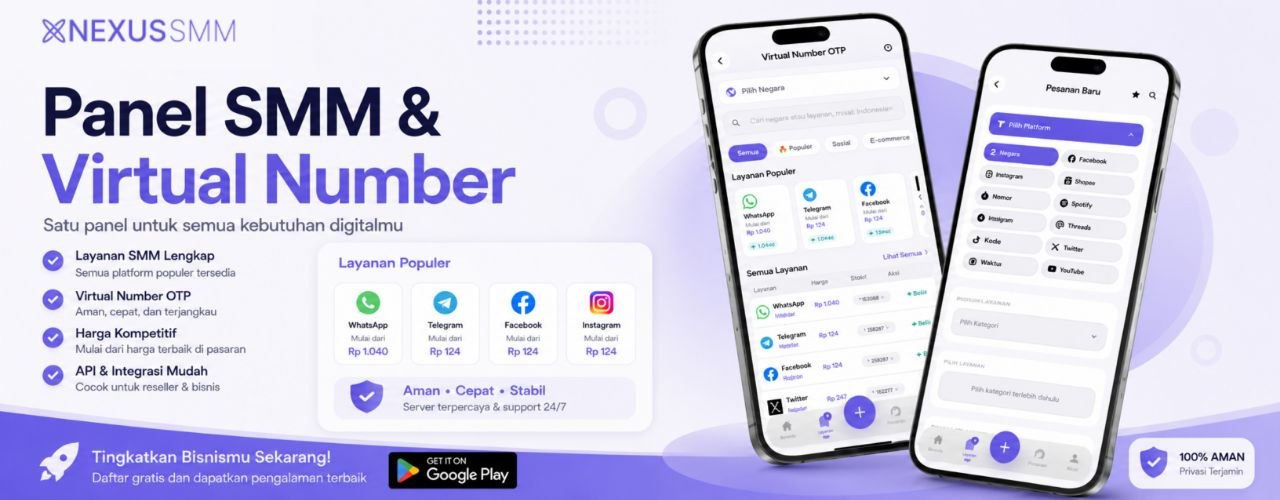
Nexus SMM, as a leading SMM service provider, offers reliable and trustworthy virtual number services. You can buy international virtual numbers easily and securely.
2. Create an Account with the Virtual Number Service Provider
Register and create an account on the service provider's website. Usually, you will be asked to provide basic information such as your name, email address, and phone number (which can be your personal number).
3. Top Up Your Account Balance
You need to top up your account balance to purchase a virtual number. Payment methods are usually varied, ranging from bank transfers, credit cards, to e-wallets.
4. Select a Virtual Number for WhatsApp
Once your balance is topped up, select the virtual number you want to use for WhatsApp. Some service providers allow you to choose numbers from specific countries. Make sure you select the country that matches your target market.
5. Verify Your WhatsApp Account
- Download and install the WhatsApp app: If you don't have it yet, download the WhatsApp app from Google Play Store (Android) or App Store (iOS).
- Open the WhatsApp app: Open the WhatsApp app and agree to the terms of service.
- Enter your virtual number: Enter the virtual number you have purchased.
- Request a verification code: WhatsApp will send a verification code via SMS to your virtual number.
- Enter the verification code: Enter the verification code you received into the WhatsApp app.
- Done! Your WhatsApp account with the virtual number is now active.
6. Configure Your WhatsApp Profile
Once your WhatsApp account is active, don't forget to configure your profile. Add a profile picture, business name, business description, and relevant contact information. This will help you build trust and enhance your business branding.
Additional Tips for Optimizing WhatsApp with a Virtual Number
- Use WhatsApp Business features: If you're running a business, use WhatsApp Business. Its features are highly beneficial for managing customer communications, creating product catalogs, and running promotions.
- Use automated messages: Set up automated messages to welcome new customers, provide information about operating hours, or answer common questions.
- Use labels to manage chats: Group chats by category, such as "new customer," "order completed," or "technical issues."
- Create WhatsApp groups: Use WhatsApp groups to build a customer community, share product information, or offer special deals.
- Integrate with other platforms: Connect your WhatsApp with other platforms such as websites, social media, or CRM for a more unified customer experience.
- Monitor and evaluate: Track the performance of your WhatsApp accounts. Analyze data such as the number of messages sent, response rates, and sales conversions to identify areas for improvement.
Remember, consistency is key. Make sure you actively respond to customer messages, provide relevant information, and offer quality customer service.
Choosing the Right Virtual Number: Tips and Tricks
Choosing the right virtual number is the key to success. Here are some tips to help you:
- Choose a relevant country: If you're targeting a specific market, choose a virtual number from that country.
- Check the number quality: Make sure the number has never been used for a WhatsApp account that violated policies.
- Consider the price: Compare prices from several service providers and choose the one that best fits your budget.
- Check the number validity period: Some virtual numbers have limited validity periods. Make sure you choose a number with a sufficiently long validity period.
- Check customer support options: Choose a service provider that offers responsive and easily accessible customer support.
Nexus SMM offers a variety of WhatsApp virtual numbers at affordable prices. Get cheap WhatsApp virtual numbers (Nokos) and start building your business presence on WhatsApp today.
Why Nexus SMM Is the Best Choice for Your SMM Needs
Nexus SMM is not just a virtual number service provider. We are your strategic partner in developing your online business. We offer:
- High-quality virtual number services: Our virtual numbers are guaranteed in quality and reliable for WhatsApp verification.
- Competitive pricing: We offer affordable prices without compromising quality.
- Responsive customer support: Our customer support team is ready to assist you quickly and efficiently.
- Various other SMM services: Besides virtual numbers, we also offer various other SMM services, such as engagement boosting, content management, and social media analytics.
With Nexus SMM, you don't just get a virtual number. You get a complete solution to grow your business in the digital era.
Besides virtual numbers, we also provide affordable WhatsApp Channel services at Nexus SMM that can greatly help you build your audience and expand your business reach.
Conclusion: Unleash the Full Potential of Your Business on WhatsApp
Creating WhatsApp with a virtual number is a smart step to develop your business. By following the guide above, you can leverage the power of WhatsApp to interact with customers, market your products, and increase sales.
Don't hesitate to take advantage of virtual number services from Nexus SMM and start your journey toward business success on WhatsApp. Make WhatsApp your primary tool for communicating with customers, building trust, and increasing profitability. With the right strategy and support from Nexus SMM, you will see significant changes in your business. Good luck!